Why Browser Processing is Better Than Cloud Upload for PDFs
Quick Answer
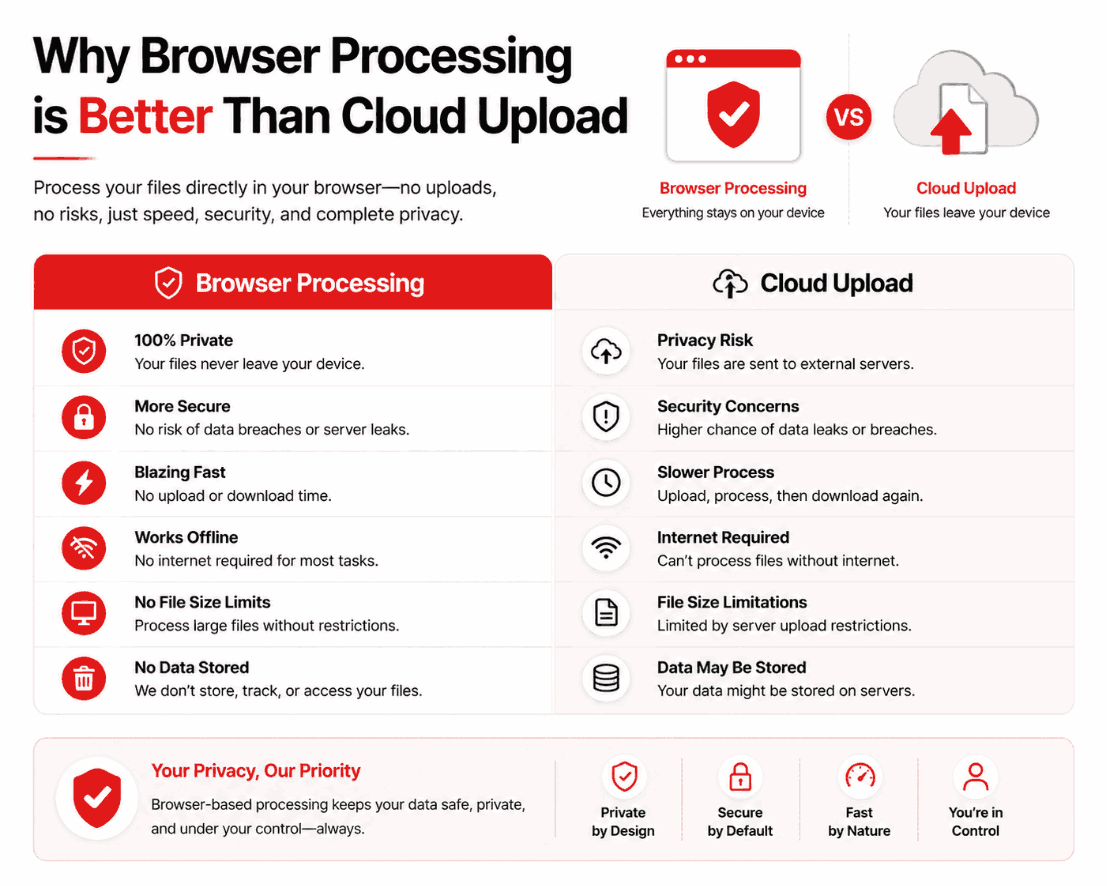
Browser processing (client-side) is superior to cloud processing because it eliminates the network transfer phase. By executing the software locally via WebAssembly, you receive instant conversion speeds, zero file-size limits, and a mathematical guarantee of privacy since your data never leaves your device.
Summary
The architecture of web applications has fundamentally shifted. Developers are abandoning expensive, centralized cloud servers in favor of decentralized, client-side execution. This deep dive explores the mechanics of WebAssembly, analyzing exactly why local processing provides a vastly superior user experience across speed, cost, and security metrics.
Introduction
If you have ever attempted to compile a PDF document online, you are intimately familiar with the progress bar. You click "Convert," and you wait. You wait for the upload, you wait for the server queue, and you wait for the download.
This waiting game is an artifact of "Server-Side" architecture. For decades, it was the only way to build complex web applications. Today, however, "Client-Side" processing has revolutionized web utilities, turning your web browser into a powerful, offline-capable operating system.
The Technical Shift to WebAssembly
Historically, JavaScript was too slow to handle heavy computational tasks like image decoding and PDF compilation. Therefore, websites functioned merely as remote controls; you clicked a button, and the real work happened on an Amazon or Google server halfway across the world.
The introduction of WebAssembly (Wasm) changed everything. Wasm allows developers to write code in low-level languages (like C++ or Rust) and compile it into a binary format that runs directly inside your browser at near-native speeds.
The Result
The website no longer acts as a remote control. Instead, the website downloads the software to your machine in milliseconds. Your device's CPU performs the heavy lifting.
Speed: Removing the Network Bottleneck
When comparing speed, cloud processing is bottlenecked by your internet provider, while browser processing is bottlenecked by your local hardware.
| Process Step | Cloud Architecture (50MB File) | Browser Architecture (50MB File) |
|---|---|---|
| 1. Uploading | 10–30 seconds (Network speed) | 0 seconds (Bypassed entirely) |
| 2. Server Queue | 2–5 seconds (Depending on traffic) | 0 seconds (Bypassed entirely) |
| 3. Execution | 1 second | 0.5 seconds (Local CPU) |
| 4. Downloading | 5–15 seconds | 0.1 seconds (Instant local save) |
| Total Time | ~18 to 51 seconds | ~0.6 seconds |
Cost: Why It's Truly Free
Cloud computing is expensive. If a legacy website receives 100,000 visitors a day converting large PNG files, their monthly Amazon AWS bill will be astronomical. To survive, they must employ hostile monetization strategies:
- Imposing a "Maximum 2 files per hour" limit.
- Capping file sizes at 15MB.
- Forcing users into $9.99/month subscriptions to unlock standard features.
Browser processing fundamentally breaks this economic model. Because your computer's processor is doing the work, the developer's server costs are effectively zero. This allows engineers to build incredibly powerful tools and offer them to the public with absolutely no artificial limits.
Privacy: The Zero-Trust Model
Mathematical Security
You do not need to read a "Privacy Policy" for a client-side web application. Because the architecture structurally prevents the network from accessing your data, it is mathematically impossible for the developer to harvest or leak your files.
Common Misconceptions
"My phone isn't powerful enough."
This is false. Modern smartphones contain processors vastly more powerful than desktop computers from a decade ago. An iPhone or Android device can effortlessly stitch dozens of JPGs together in RAM using client-side execution.
"I need to install a browser extension."
No installation is required. Client-side tools load securely within the standard browser sandbox exactly like any other webpage.
Pro Tips for Developers
If you are building your own internal corporate tools, default to client-side execution. Utilizing APIs like `OffscreenCanvas` and WebAssembly libraries (such as PDF-Lib) allows you to build enterprise-grade document manipulation tools that bypass the need for intensive security compliance audits, as the data never touches the corporate firewall.
Frequently Asked Questions
Why is browser processing faster than cloud processing?
Browser processing executes the compilation using your device's local CPU. Cloud processing requires you to physically transmit the file over the internet, wait in a server queue, and download the result. Removing the network transfer makes browser processing exponentially faster.
Are browser-based tools completely free?
Yes. Because browser-based tools use your computer's resources to perform the work, the developer does not have to pay for expensive cloud computing. This allows them to offer the tool for free without imposing paywalls.
Do I need a powerful computer for browser processing?
No. WebAssembly is incredibly efficient. Even a standard 5-year-old smartphone possesses enough processing power to compile a 50-page PDF in under three seconds.
Is browser processing safer for confidential data?
Absolutely. Browser processing operates within a strict local sandbox. Your files are never uploaded to the internet, rendering server-side data breaches mathematically impossible.
Why do some websites still use cloud uploads?
Legacy architecture. Many older tools were built in PHP or Node.js over a decade ago. Transitioning an entire platform to client-side WebAssembly requires a massive rewrite of their core technology.
Conclusion
The debate between cloud and client-side processing for document utilities is over. Browser-based execution is faster, infinitely more secure, and economically superior, rendering traditional uploaders obsolete.
Experience the revolution in web utilities yourself. Utilize the PDFChacha engine to format, compress, and compile your documents securely on your own hardware, free from limits and wait times.